|
||||||||
|
||||||||
Data Cleaning in csv Files - Python and Machine Learning for Integrated Circuits - - An Online Book - |
||||||||
| Python and Machine Learning for Integrated Circuits http://www.globalsino.com/ICs/ | ||||||||
| Chapter/Index: Introduction | A | B | C | D | E | F | G | H | I | J | K | L | M | N | O | P | Q | R | S | T | U | V | W | X | Y | Z | Appendix | ||||||||
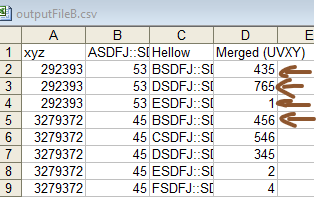
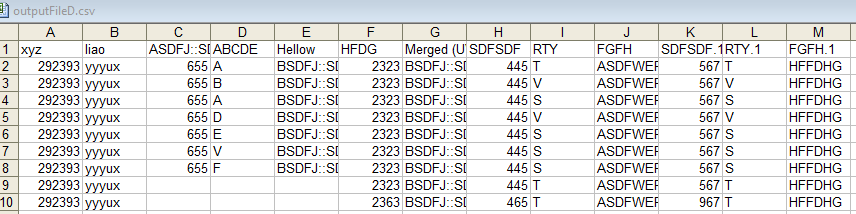
================================================================================= Data cleaning (Code): ============================================ Align the cells in csv file by shifting the cells to the correct columns. Note that the disadvantage of this method here is that the normal csv rows cannot have empty cells. (Code): Input: ============================================ Formating csv file:1) read data from a csv file (myInputFile = r"C:\GlobalSino20230219\ICs\images3\outputFileC.csv"). 2) "Create two new csv files": store the extracted columns into a temporary .csv file and save it to a new csv file (myOutputFile = r"C:\GlobalSino20230219\ICs\images3\outputFileE.csv") 3) Read the column with a column name "xyz" to the new csv files as a column with column name of "HY". 4) Read the column with a column name "liao" to the new csv files as a column with column name of "Yougui". 5) Read the column with a column name, which contain a string ":SDDF", to the new csv files as a column with column name of "Hellow". 6) Create a new empty column with column name of "Excellent". 7) The temporary .csv file is created by using tempfile module. Code1: It does not overwrite the output csv file if it exist. Code2: It overwrites the output csv file if it exist and it is not using try and exception.  Input: 
Output: 
|
||||||||
| ================================================================================= | ||||||||
|
|
||||||||