Electron microscopy
 
Word2Vec with Gensim
- Python Automation and Machine Learning for ICs -
- An Online Book -
Python Automation and Machine Learning for ICs                                              http://www.globalsino.com/ICs/        


Chapter/Index: Introduction | A | B | C | D | E | F | G | H | I | J | K | L | M | N | O | P | Q | R | S | T | U | V | W | X | Y | Z | Appendix

=================================================================================

Gensim is a Python library that provides tools for working with word embeddings and other natural language processing tasks. It includes an implementation of Word2Vec that makes it easy for developers to train their own word embeddings on custom datasets.

The overview of how Word2Vec works with Gensim is below:

  • Training the Model:

    • We need to import the Word2Vec class from the gensim.models module.
    •  Prepare our text data by tokenizing it into sentences or words.
    • Instantiate a Word2Vec model with the tokenized data and set various parameters like vector size, window size, etc.
    • Call the train method on the model, passing the tokenized data, to train the Word2Vec embeddings. 

      Code example:

      from gensim.models import Word2Vec 

      # Assuming 'sentences' is a list of tokenized sentences 

      model = Word2Vec(sentences, vector_size=100, window=5, min_count=1, workers=4) 

      model.train(sentences, total_examples=len(sentences), epochs=10)  

  • Accessing Word Vectors:
    • Once the model is trained, we can access the word vectors using the wv attribute of the model.
    • For example, model.wv['word'] will give us the vector representation of the word 'word':
    • vector = model.wv['word']

  • Similarity Queries:
    • We can use the similarity method to find the similarity between two words based on their vector representations.
    • similarity_score = model.wv.similarity('king', 'queen')

Gensim's Word2Vec implementation allows you to efficiently train word embeddings and perform various operations with them, making it a useful tool for NLP tasks that involve semantic understanding of words.

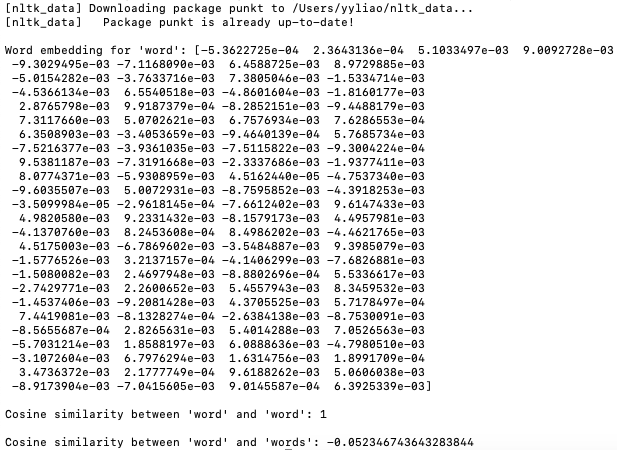
The script (code) below shows an example of vector of words in Word embeddings and similarity: 

Output:

Cosine similarity ranges from -1 to 1, where 1 indicates identical vectors, 0 indicates orthogonal vectors, and -1 indicates opposite vectors. In word embeddings, vectors for words with similar meanings or usage patterns tend to have higher cosine similarity, while vectors for unrelated words or words with different meanings may have lower cosine similarity. Note that 'word' and 'words' are similar in some respects, but they are distinct words with different meanings and contexts. Therefore, a cosine similarity value of -0.052346743643283844 suggests that their embeddings are not very similar in the vector space defined by the Word2Vec model.

============================================

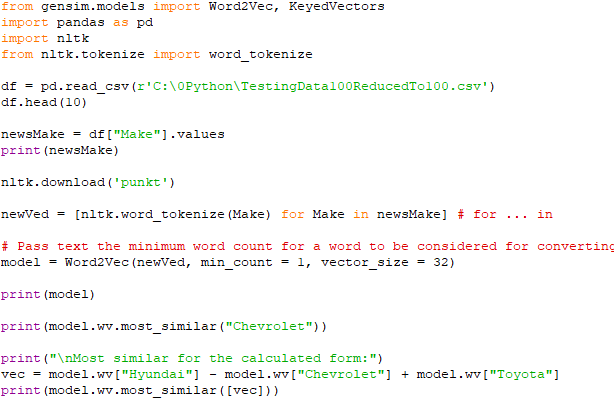
Basic functions of Word2Vec with Gensim: code:    
          Find the best similarity with Word2Vec Models/word embeddings
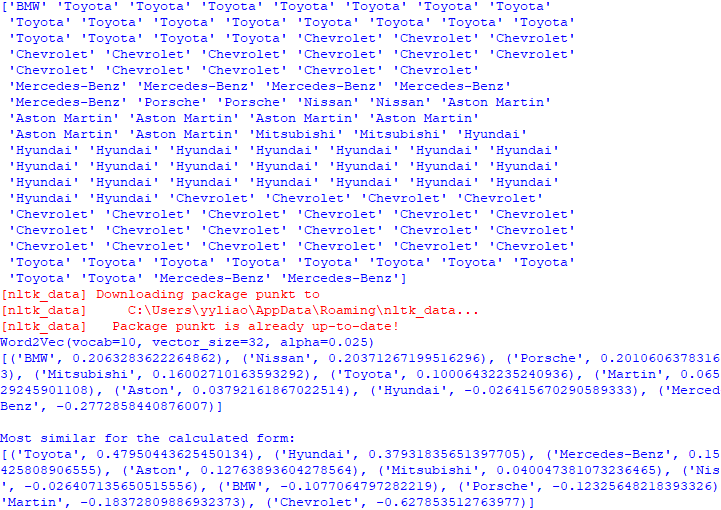
Output:         
         Find the best similarity with Word2Vec Models/word embeddings

============================================

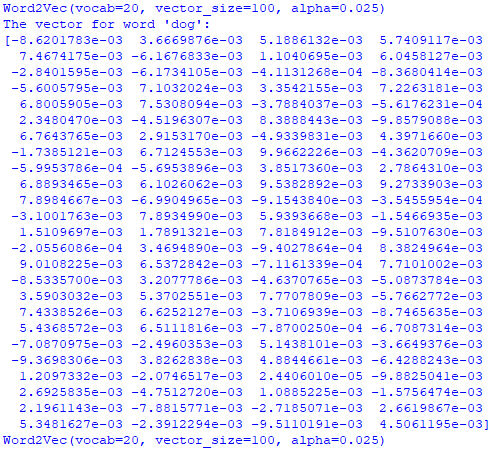
Find the best word similarity with Word2Vec Models/word embeddings: code:          
          Find the best similarity with Word2Vec Models/word embeddings
          Find the best similarity with Word2Vec Models/word embeddings
          Find the best similarity with Word2Vec Models/word embeddings
Output:                  
          Find the best similarity with Word2Vec Models/word embeddings
          Find the best similarity with Word2Vec Models/word embeddings

============================================

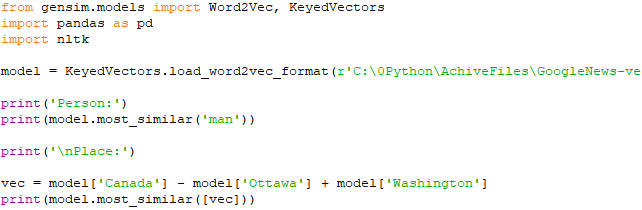
Work with pre-trained GoogleNews-vectors-negative300 model: code:    
          Find the best similarity with Word2Vec Models/word embeddings
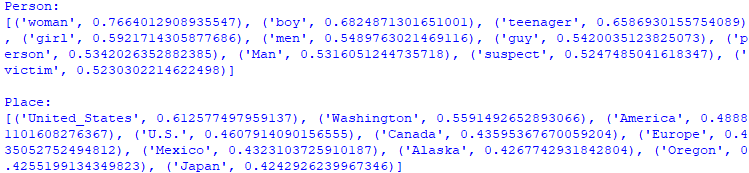
Output:         
         Find the best similarity with Word2Vec Models/word embeddings

============================================

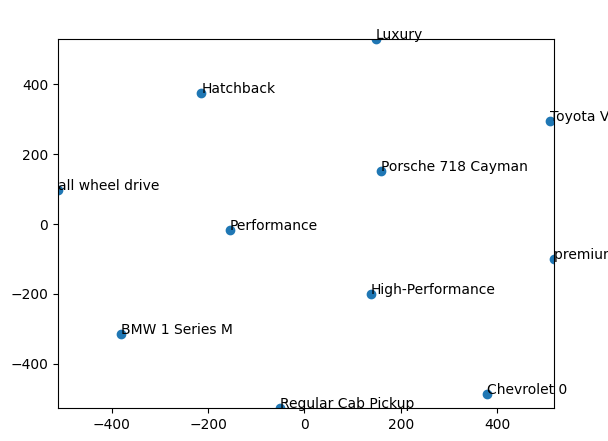
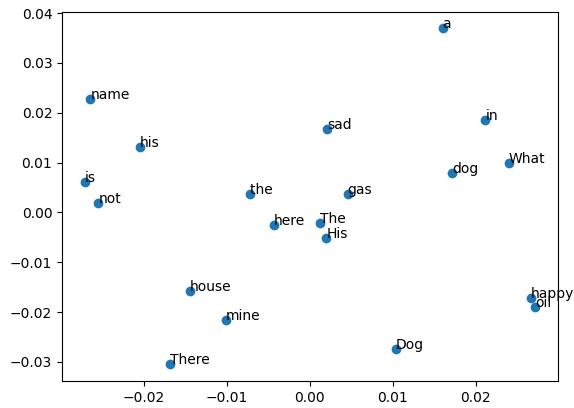
Apply training data to PCA: code:    
          Find the best similarity with Word2Vec Models/word embeddings
Output:         
         Find the best similarity with Word2Vec Models/word embeddings
         Find the best similarity with Word2Vec Models/word embeddings


=================================================================================